
The menu bar, tidied up: hide what gets in the way, show it when you need it. And it runs on macOS 27.

Runs on macOS 27
A new backend for the redesigned menu bar that macOS 27 brings.
Hide and show
Hide icons and bring them back on hover, click or scroll.
A Shelf for the notch
Hidden icons in a bar of their own below the menu bar.
Via Homebrew
One command to install, one to update.
Version 0.0.6 — Release on GitHub. Feedback counts on the issue tracker. holzBar is a young fork of Ice and is actively developed, so a lot may still change before 1.0.
holzBar keeps the Mac’s menu bar in order: what you rarely need disappears and comes back when you call for it. On top of that there is a bar for icons below the notch, a drag-and-drop layout, a search and settings for how the bar looks.
Features
Hidden until you need it
Only holzBar’s dot stays in the menu bar; what you rarely need is collapsed. A click, hover or scroll opens the holzBar Shelf with the hidden items right below the menu bar — with real item images, on displays with a notch too.

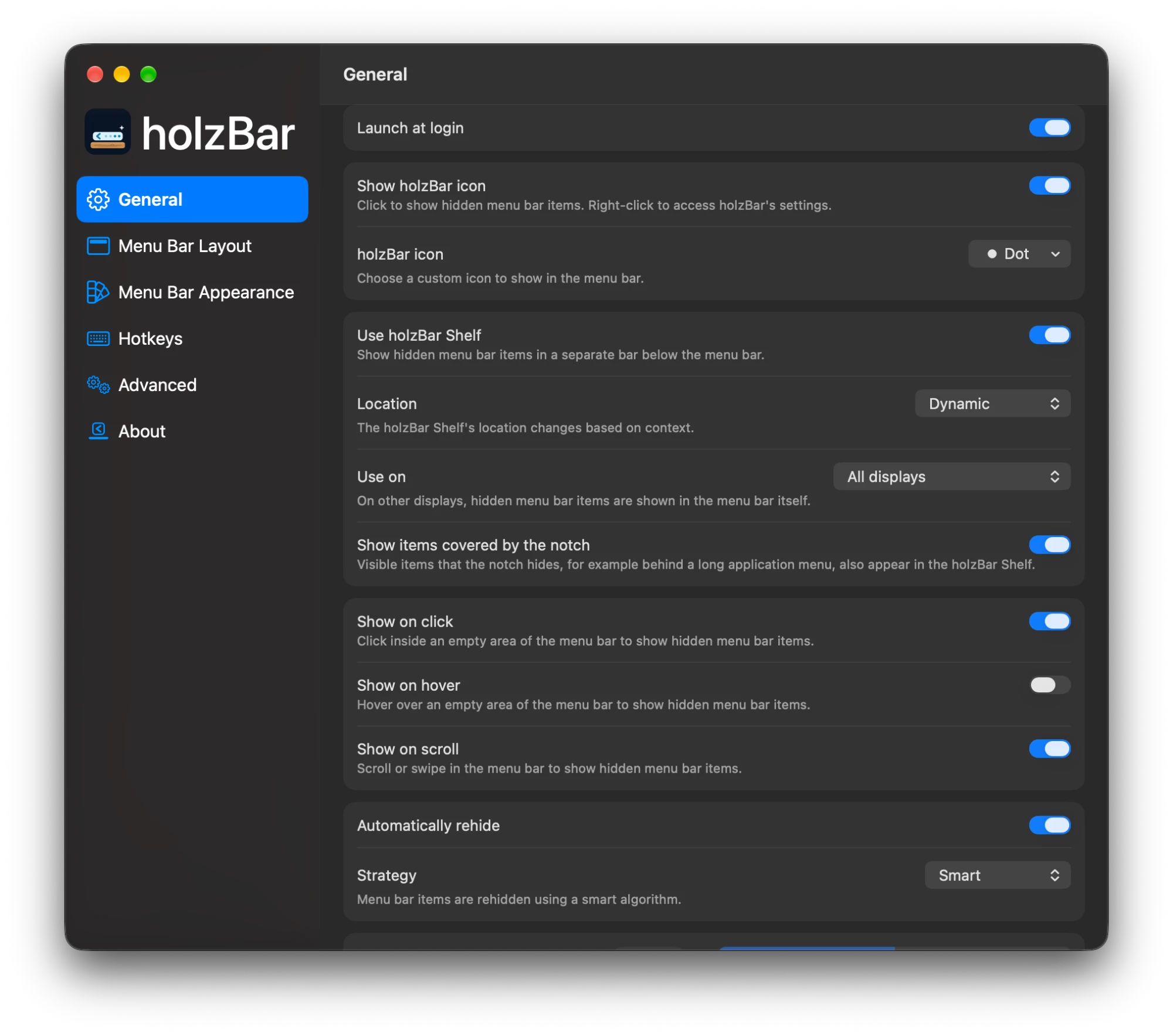
The essentials under General
holzBar can launch at login and shows a dot or another icon of your choice in the menu bar. The holzBar Shelf picks its place dynamically, and hidden items appear on click, hover or scroll — then disappear again on their own.
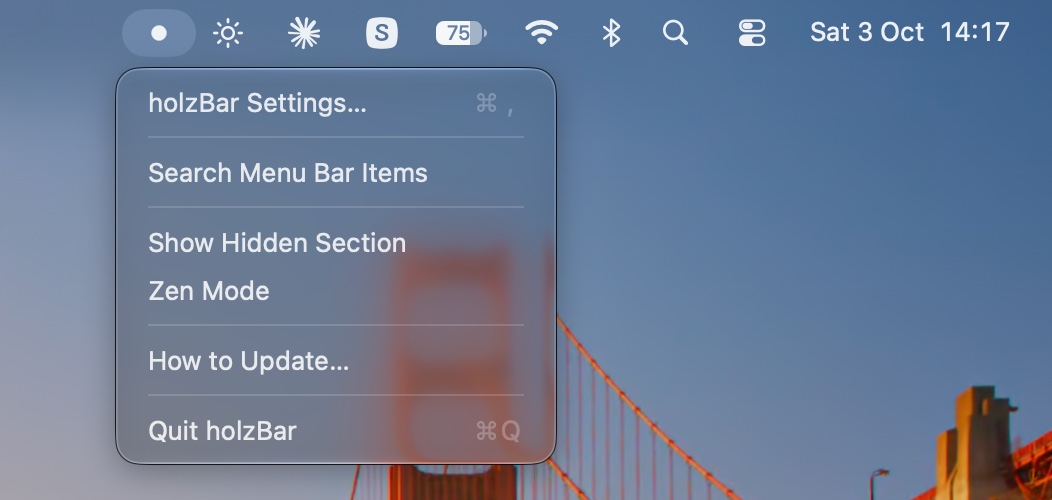
Everything on a right-click
Right-click the dot for holzBar’s menu: the settings, the menu bar item search, the hidden section and Zen Mode. The search finds and opens any item, even while it is hidden.
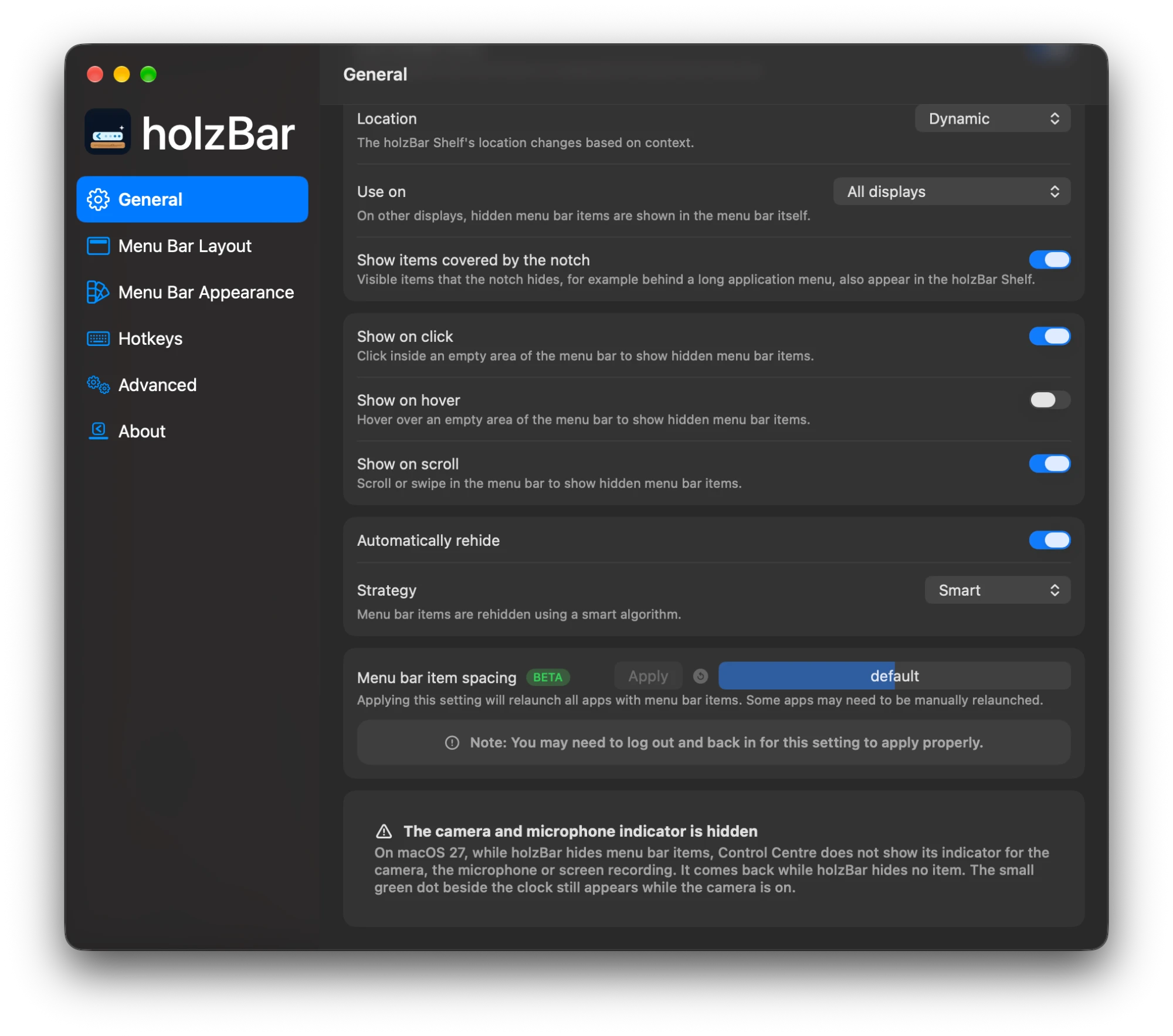
Show and rehide
Hidden items appear on click, hover or scroll — with the trackpad and the mouse wheel. holzBar then hides them again automatically, with the Smart strategy if you like. Item spacing is available as a beta.
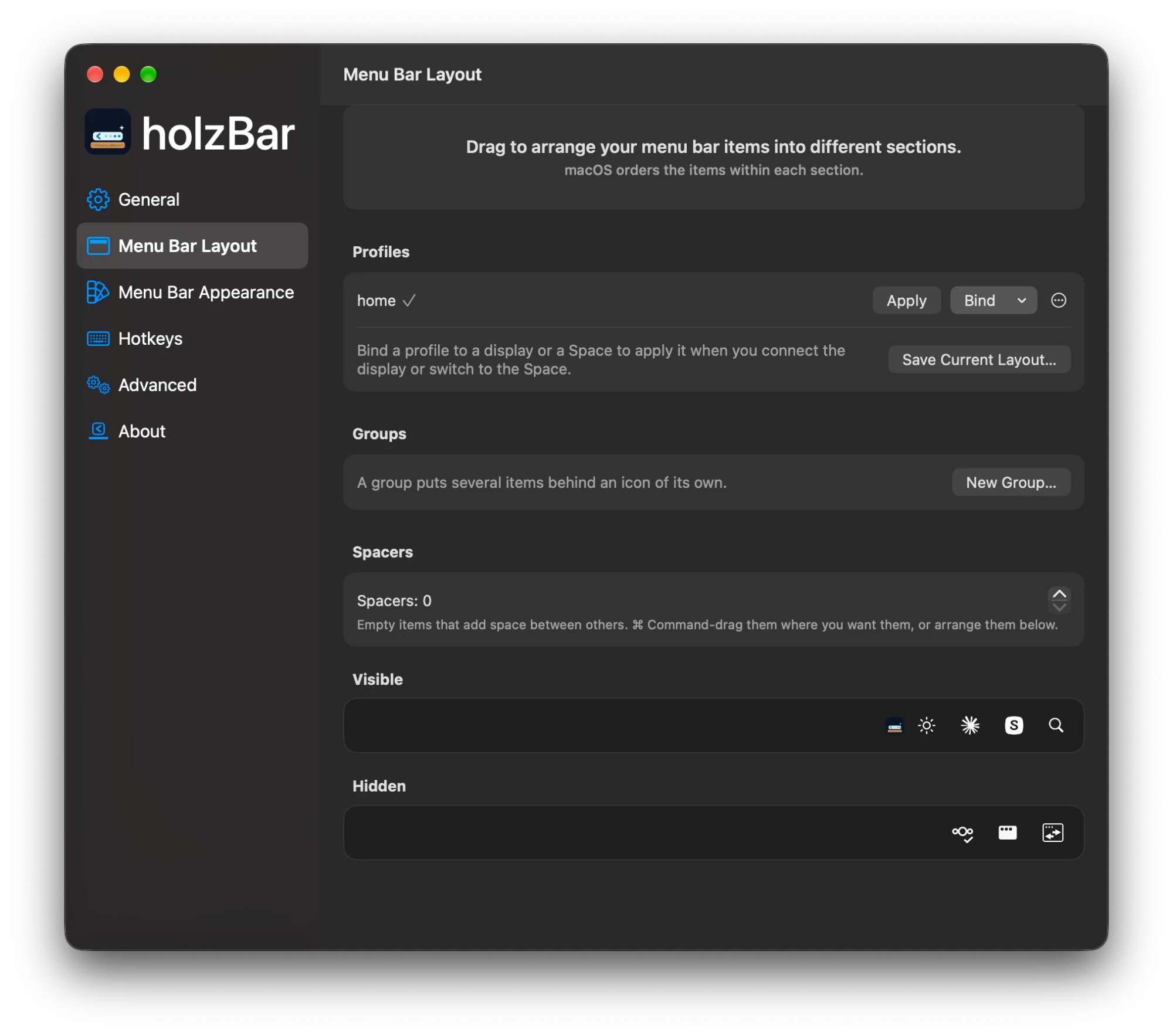
Drag-and-drop layout
Drag items into the visible or the hidden section. Profiles such as “Work” or “Home” save a layout, groups put several items behind an icon of their own, and spacers add room.
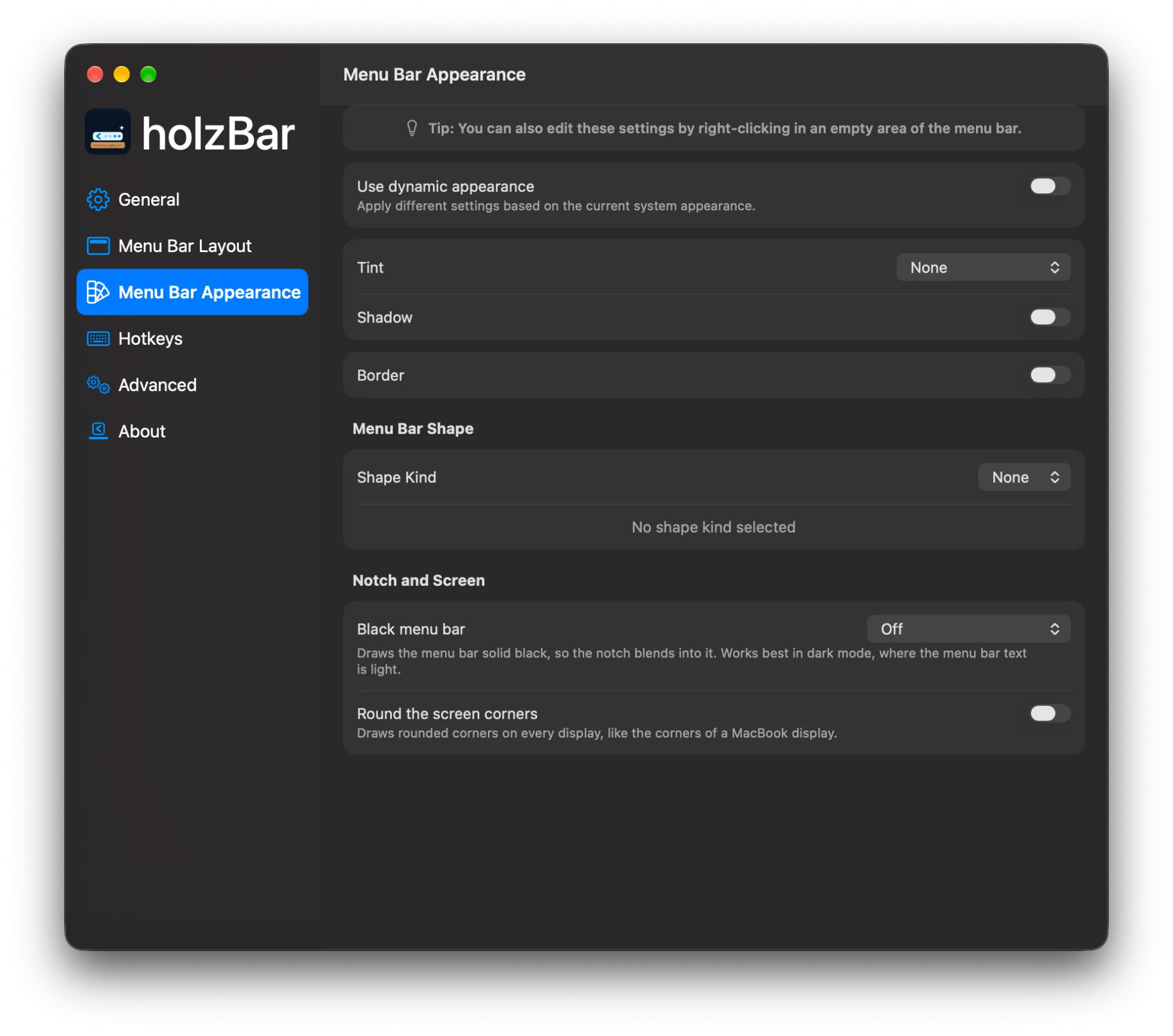
A bar to your taste
Tint as a solid colour or gradient, shadow, border and rounded or split shapes. On top of that, a black menu bar that makes the notch disappear, and rounded screen corners.
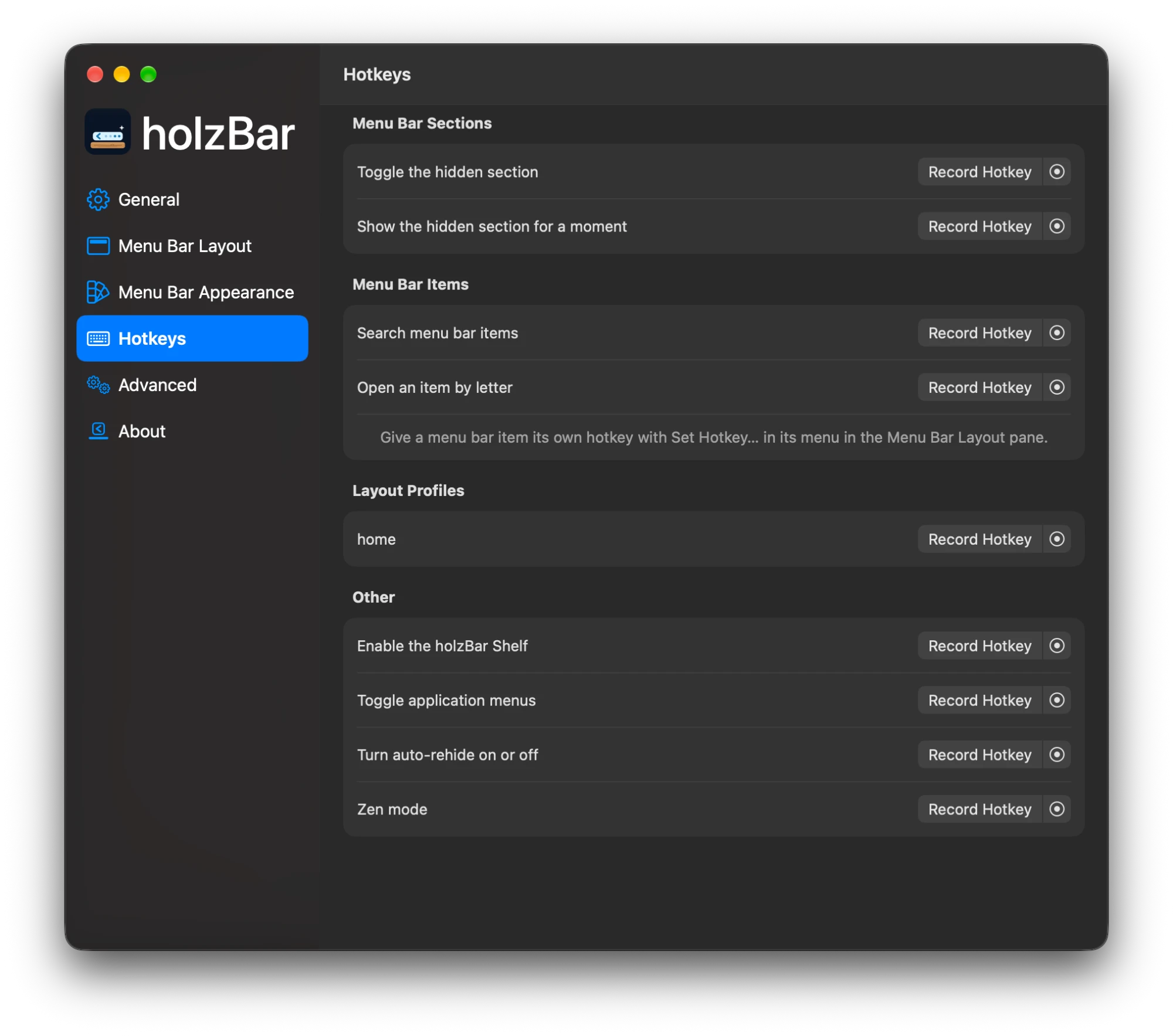
A hotkey for every frequent action
Toggle sections, open the search, switch the holzBar Shelf on and off, toggle app menus and control auto-rehide — each action gets a shortcut of its own.
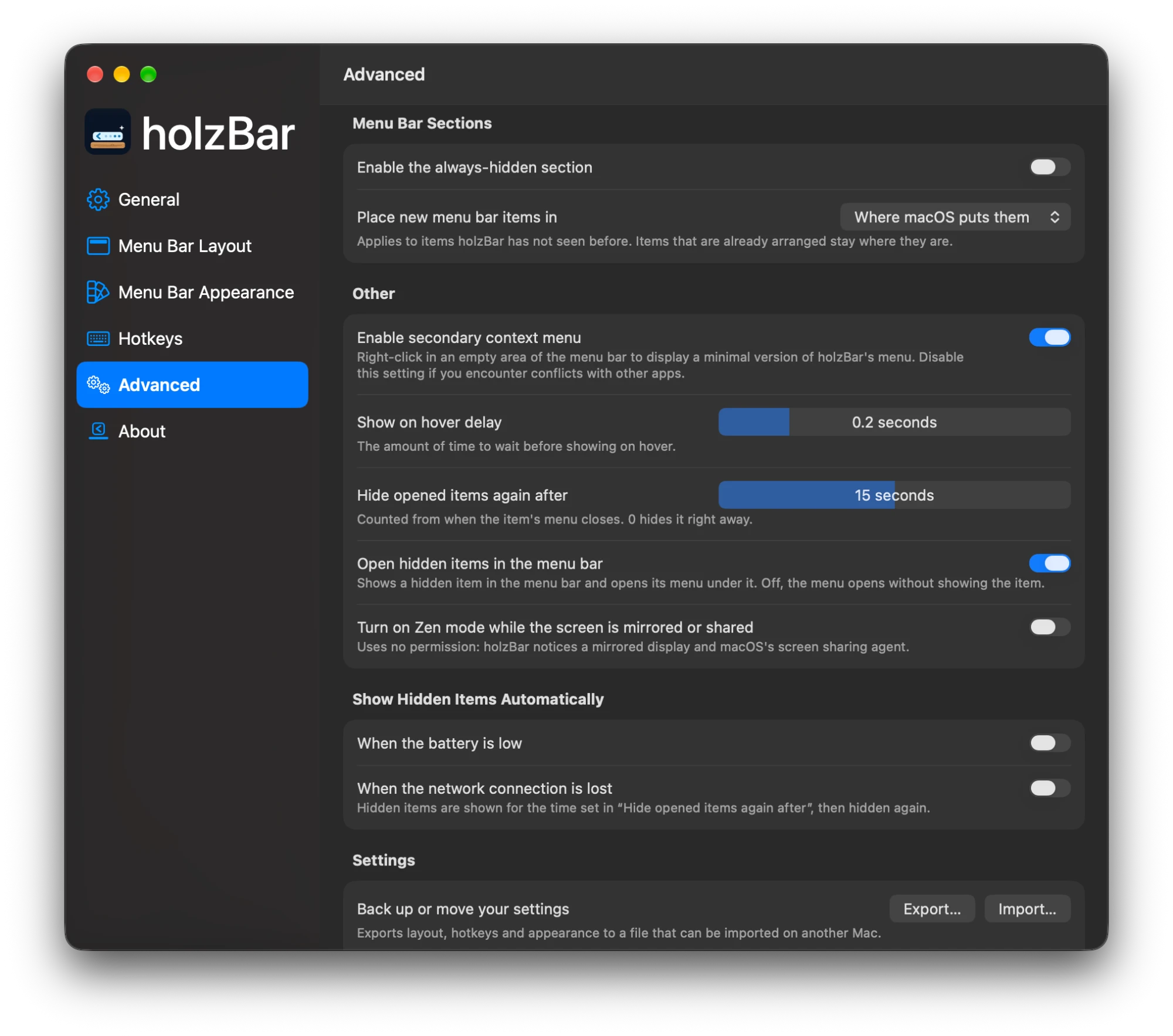
Fine-tuning under Advanced
Here you find the always-hidden section, where new items go, Live Activities, hiding app menus and the delays for hover and temporarily shown items.
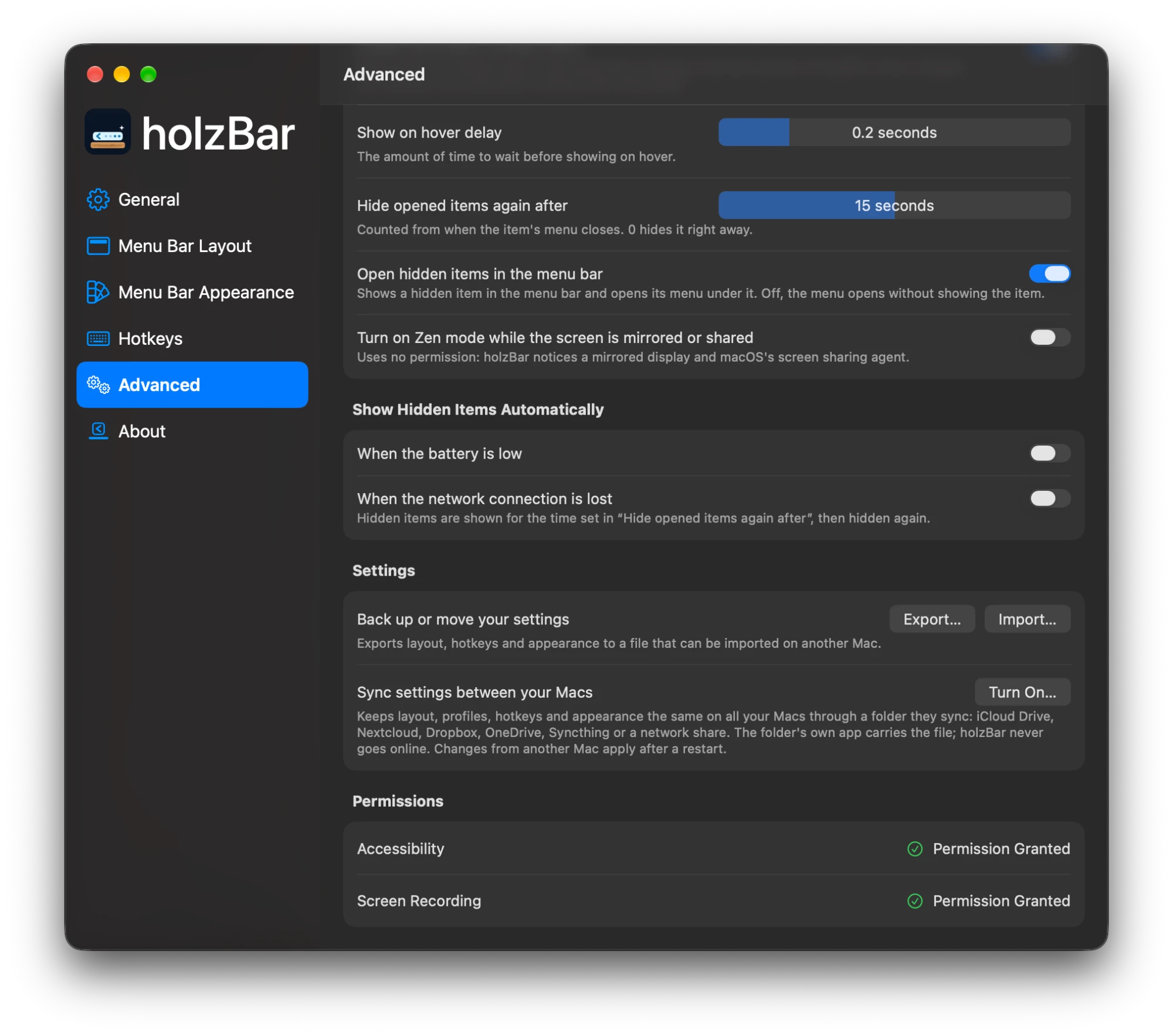
Sync and permissions
Further down under Advanced you can export and import your settings or sync them between your Macs through any folder they sync, such as iCloud Drive, Nextcloud, Dropbox, OneDrive, Syncthing or a network share. Below that, holzBar shows the state of every permission.
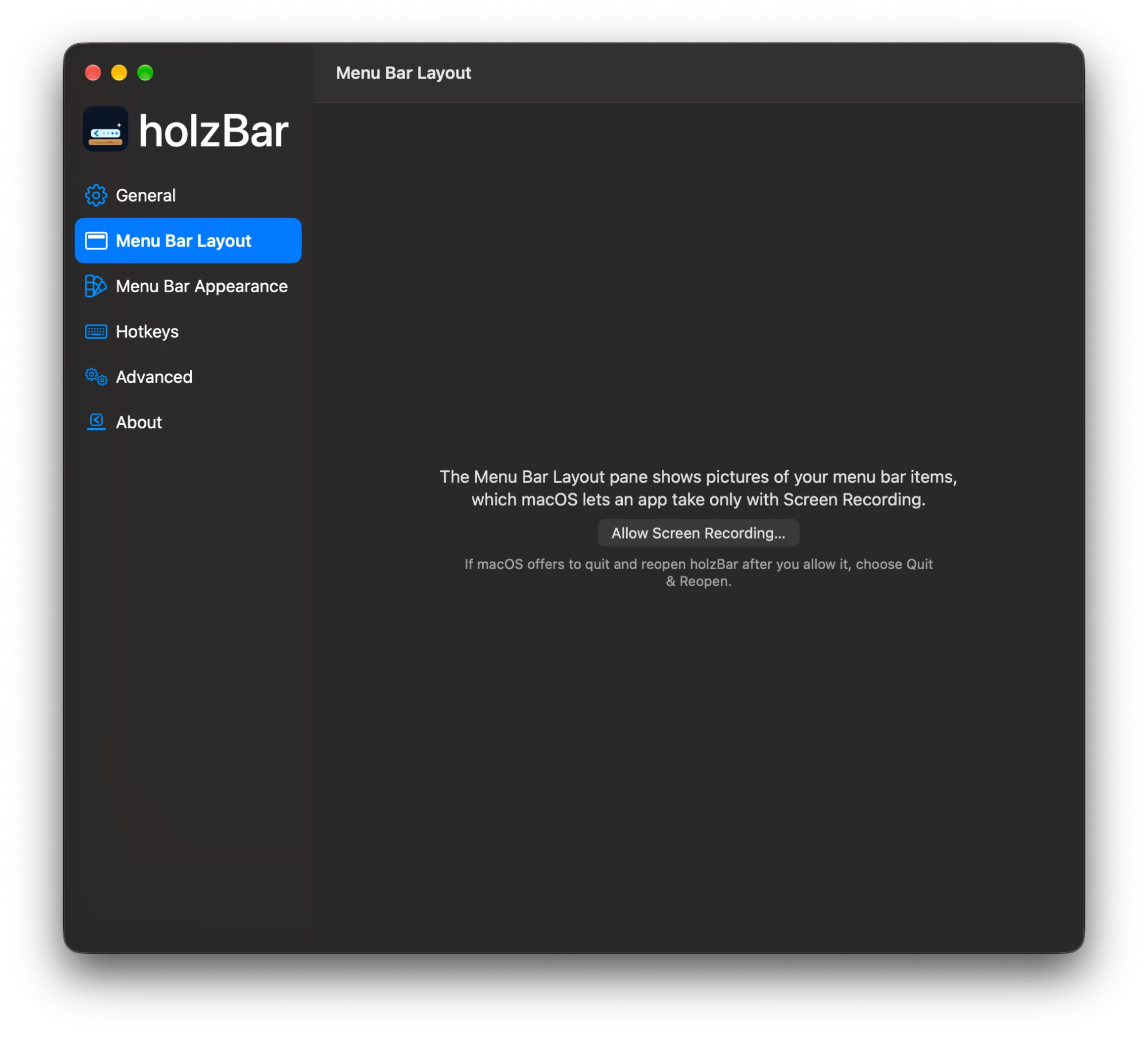
Screen Recording only when needed
The Layout pane shows pictures of the menu bar items, which macOS lets an app take only with Screen Recording. holzBar asks for it only when a feature needs it, and says why.
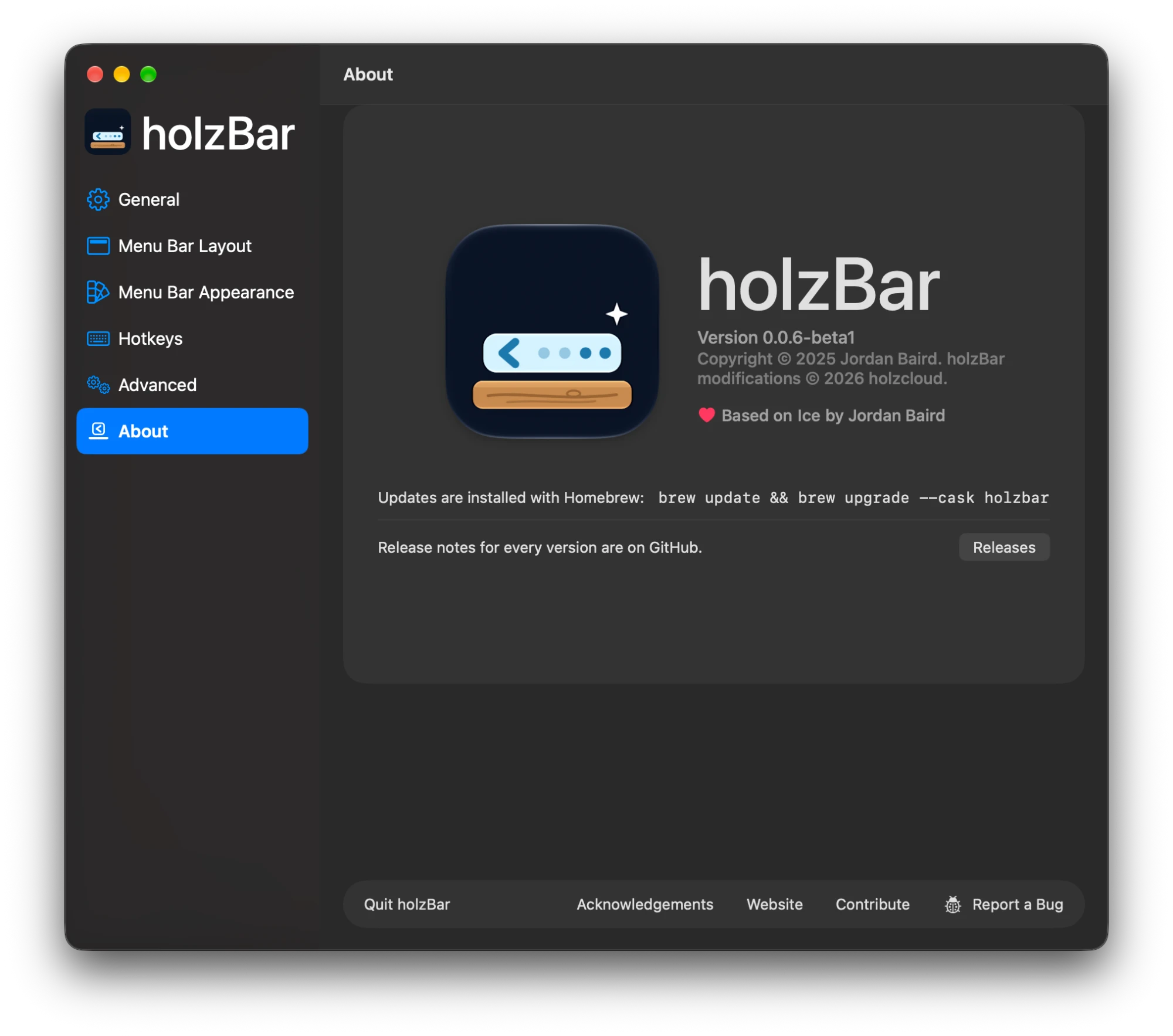
Built on Ice
The About pane shows the version and the thanks to Ice by Jordan Baird. Updates come through Homebrew with brew update && brew upgrade --cask holzbar, and the releases are one click away.
Everything at a glance
Hide menu bar items
A section for icons you do not need, plus an “always hidden” section. Show on hover, click or scroll, rehide automatically, and hide app menus when they overlap.
holzBar Shelf
The hidden icons in a bar below the menu bar, with real item images and even spacing — handy with the notch.
Drag-and-drop layout
Assign icons to sections. Your old layout is carried over on first launch.
Search
Find and open any menu bar item, even while it is hidden.
Appearance
Tint as a solid colour or gradient, shadow and border, rounded and split shapes. Item spacing is in beta.
Hotkeys
Toggle sections, open the search, switch the holzBar Shelf on and off, and toggle app menus.
Profiles, groups, spacers
Save layouts as “Work” or “Home” and switch between them, put several items behind an icon of their own and add up to ten empty spacers. New in 0.0.2.
Black bar, rounded corners
A black menu bar that makes the notch disappear, and rounded screen corners with an adjustable radius. New in 0.0.2.
Automation and sync
holzbar:// commands and ready-made Raycast scripts that ask before they change anything lasting, Zen mode and Shortcuts actions, hidden items shown automatically when the battery runs low or the network drops, settings exported or synced between Macs through iCloud Drive or any folder your Macs sync.
System
macOS 14 to 27
Licence
GPL-3.0, like Ice
Basis
Ice by Jordan Baird
Installation
Homebrew or from source
Signature
Own certificate, no Apple Developer ID; build provenance attestation
Updates
Through Homebrew
Installation
holzBar runs on macOS 14 Sonoma to 27 and is checked in CI on macOS 14, 15, 26 and 27.
New install
The easiest way is Homebrew:
brew tap holzcloud/holzbar https://github.com/holzcloud/holzBar
brew trust --cask holzcloud/holzbar/holzbar
brew install --cask holzbar
brew trust is needed once: Homebrew only installs casks from third-party taps that you have trusted.
holzBar replaces the original Ice. If you have it installed, remove it first with brew uninstall --cask jordanbaird-ice. The app is signed with its own certificate, not an Apple Developer ID; the cask removes the quarantine flag so it opens normally. Updates go through Homebrew; holzBar itself never checks for updates.
To build it yourself, use Xcode 27 (macOS 27 SDK), as CI does; holzBar itself runs on macOS 14 or later:
git clone https://github.com/holzcloud/holzBar
cd holzBar
Scripts/install.sh
The app lands in ~/Applications.
The archive holzBar-0.0.6.zip is also available directly on the release.
Releases are signed with holzBar's own certificate (SHA-256 e55f0df15060b8c06c6842ccee85e6bc9f86cbbda3bd408abf991457840b1d95) and carry a build provenance attestation; check it with gh attestation verify on the downloaded archive.
Update from 0.0.6 beta 1 or 2
brew update && brew upgrade --cask holzbar
The Accessibility permission stays.
Update from 0.0.5
0.0.5 was published under the app's former name, as a different cask and app, so brew upgrade does not replace it and holzBar does not take over its settings. To keep your layout, hotkeys and appearance, export them in the old app (Settings → Advanced → Export…). Quit it and uninstall its cask (brew list --cask shows its name), install holzBar as above, grant Accessibility, import the file in Settings → Advanced → Import… and turn “Launch at login” on again. Settings of the original Ice are imported on the first launch anyway.
If macOS says holzBar “can’t be opened”
holzBar is signed with its own certificate, not an Apple Developer ID. The Homebrew cask removes the quarantine flag for you. If you downloaded the archive yourself — or macOS still blocks the app — take it out of quarantine:
xattr -dr com.apple.quarantine /Applications/holzBar.app
Then open holzBar again. Alternatively, open the app once, then click Open Anyway next to the holzBar message in System Settings → Privacy & Security.
Why holzBar?
| 📦 Zero dependencies | No third-party packages at all — every line that runs is in holzBar’s repository. |
| 🦅 Modern Swift 6 | Built with Swift 6.4 and Xcode 27, the latest stable Swift and the macOS 27 SDK, in Swift 6 language mode with data-race safety checked by the compiler; @Observable instead of Combine, one backend per macOS generation. |
| 🔒 Never online | No update checks, telemetry or analytics. A CI check proves there is no network code in the app. |
| 🛡️ Least privilege | Only Accessibility at first launch; Screen Recording only when a feature needs it. Hardened runtime, private logs. |
| 🍃 Lean | No polling where macOS sends an event, no mouse tracking unless you use it, nothing kept in memory that nobody shows. |
| 🪵 macOS 27 compatible | A dedicated backend for the redesigned macOS 27 menu bar drawn by MenuBarAgent. |
| ✅ macOS 14 to 27, checked | Every pull request launches the app on macOS 14, 15, 26 and 27 and runs the 371 unit tests on each. |
| ✨ More features | Profiles, folders, spacers, Zen mode, Shortcuts actions, a black menu bar, URL commands, settings sync through any folder. |
| 🌍 Five languages | English, German, French, Italian and Romansh. |
| 🍺 Homebrew first | Install and update with one command. |
holzBar vs. Ice and Thaw
What the original Ice 0.11.12 and the other active fork Thaw 3.0 beta do, and what holzBar adds. — means not available or not documented.
| Ice 0.11.12 | Thaw 3.0 beta | holzBar | |
|---|---|---|---|
| Compatibility | |||
| macOS 14 – 26 | ✅ | macOS 26 only | ✅ |
macOS 27 (new menu bar drawn by MenuBarAgent) |
❌ | ✅ | ✅ |
| Launched and unit tested in CI on every supported macOS | ❌ | — | ✅ 14, 15, 26 and 27 |
| Features | |||
| Hidden and always-hidden sections, Ice Bar / holzBar Shelf, search, appearance | ✅ | ✅ | ✅ |
| Layout profiles | ❌ | ✅ | ✅ |
| Groups and spacers | ❌ | ✅ | ✅ |
| Folders with their own icon and colour; item images of your choice | ❌ | ✅ | ✅ |
| Choose where new items appear | ❌ | — | ✅ |
| Bar only on some displays, notch overflow | ❌ | — | ✅ |
| Black menu bar, rounded screen corners | ❌ | corners only | ✅ |
| Dashed and dotted borders, wallpaper, accent and glass tints | ❌ | ✅ | ✅ |
| Show hidden items on low battery or when offline | ❌ | — | ✅ |
| URL commands and Raycast | ❌ | ✅ | ✅ |
| Zen mode (also while presenting) | ❌ | ✅ | ✅ |
| Hotkeys per profile and per item | ❌ | ✅ | ✅ |
| Shortcuts actions (App Intents) | ❌ | ✅ | ✅ |
| Profiles bound to a display or a Space | ❌ | ✅ | ✅ |
| Open an item by letter | ❌ | ✅ | ✅ |
| Layout editor and Shelf from the keyboard, undo, VoiceOver actions | ❌ | ✅ | ✅ |
| Opened items stay up to 30 s, or open without showing the item | ❌ | ✅ | ✅ |
| Show an item briefly when it changes | ❌ | ✅ | ✅ opt-in per item |
| Export and import settings | ❌ | ✅ | ✅ |
| Settings sync: iCloud Drive or any synced folder | ❌ | ❌ | ✅ |
| Languages | English | many, through Crowdin | English, German, French, Italian, Romansh |
| Keep Live Activities visible | ❌ | — | ✅ experimental |
| Show on scroll with a mouse wheel | ❌ | — | ✅ |
| Search tolerates typos and abbreviations | ✅ (library) | ✅ | ✅ (built in) |
| Refuses hotkeys macOS cannot register, and says why | ❌ | — | ✅ |
| Input never stalls when an app hangs | ❌ | ✅ | ✅ |
| Items keep their section when an app changes its title | ❌ | ✅ | ✅ |
| Pauses while the screen is locked, settles after wake | ❌ | ✅ | ✅ |
| Look on every desktop, follows the icons, steps aside in fullscreen | ❌ | ✅ | ✅ |
| No screen-recording indicator when showing or hiding (macOS 27) | — | ✅ | ✅ |
| Hover and click on a second display (macOS 27) | — | ✅ | ✅ |
| URL commands ask before they change anything lasting; no URL ends Zen mode during a screen share | — | — | ✅ |
| Validated hotkeys, colours and numbers in imported and synced settings (no crash loop from bad settings) | ❌ | — | ✅ |
| Privacy and permissions | |||
| Network connections (update checks, telemetry, analytics) | Sparkle update checks | Sparkle update checks | none — enforced by CI |
| Personal data (app names, item titles, paths) in logs | partly public | — | private, enforced by CI |
| Asks for Screen Recording only when a feature needs it | ❌ | — | ✅ |
| Hardened runtime (no injected code or libraries) | ✅ | ✅ | ✅ (checked by CI) |
| Settings import accepts only known keys of the right type, in range | — (no import) | — | ✅ |
| Settings import and sync can't turn sync on; the sync file carries no computer name | — (no sync) | — | ✅ |
| Menu bar item service accepts only holzBar's own code | team check only | — | team or exact code hash |
| Fix for the permissions loop | ❌ | — | ✅ |
| Code and resources | |||
| Swift packages | 5 | 10 (Sparkle, AXSwift6, CompactSlider, Ifrit, LaunchAtLogin-Modern and 5 from Apple) | none |
| Swift language mode | Swift 5 | Swift 6 | Swift 6 (data-race safety checked by the compiler), built with Swift 6.4 and Xcode 27 |
| State management | Combine | @Observable and Combine |
@Observable, no Combine |
| Mouse event tap when "Show on hover" is off | always running | — | off |
| Timers and polling while nothing is shown | yes | — | only while needed |
| Settings sync checks for changes | — (no sync) | — (no sync) | when the synced folder delivers them, no polling |
| Settings migration | 6 version steps at every launch | — | once, while importing Ice settings |
| Runtime patching of AppKit (method swizzling) | yes | yes | none |
| Item images in memory | kept | — | released when unused |
| Unit tests run on every change | none | ✅ | ✅ 371 |
| App size | — | — | 16.7 MB |
| Distribution and maintenance | |||
| Install and update with Homebrew | ✅ | ✅ | ✅ |
| Updates | Sparkle (dialog can hang on macOS 26) | Sparkle | Homebrew |
| Every bug group of Ice's 282 open reports solved | — | — | ✅ confirmed on a Mac in 0.0.6, see the list |
| Signed with a Developer ID | ✅ | — | ❌ (own certificate instead) |
| Stable signature, so Accessibility survives updates | ✅ | — | ✅ (own certificate, docs/signing.md) |
Build provenance attestation (gh attestation verify) |
❌ | — | ✅ |
macOS 27
macOS 27 no longer draws menu bar items as separate windows; it draws them all into one bar. holzBar ships a backend of its own for that: hiding through assertions in assessment mode with per-app sections, item discovery through Accessibility, and an editor that assigns apps to sections.
Known limitations on macOS 27
- Items cannot be reordered on the bar itself, only assigned to sections.
- Opening a system item (clock, battery, Wi-Fi) while hidden items are concealed takes about 150 ms longer.
- Coming from 0.0.5 or earlier, macOS asks for Accessibility once more. If holzBar is stuck on the permissions window, click Reset and Grant Again.
- “Hide application menus” is turned off on macOS 27, where macOS folds overflowing items itself.
- The privacy indicator is hidden while items are hidden: while holzBar hides any item on macOS 27, Control Centre does not show its indicator for the camera, the microphone and screen recording; the small green dot beside the clock still shows the camera. It comes back while holzBar hides no item.
A fork of Ice — with thanks to Jordan Baird
holzBar is a fork of Ice by Jordan Baird. Ice is one of the best menu bar managers for the Mac, and nearly everything you see here is his work. holzBar only carries it on for macOS 27 while development of the original is slower.
The backend for macOS 27 comes from RabenkoYevhenii (pull request #995 at Ice). If you like Ice: please give Ice a star and sponsor Jordan Baird. holzBar is independent and neither affiliated with nor endorsed by the Ice project.