
Manage Talos clusters, from the bare machine to the upgrade. Runs beside the cluster, not inside it.
Beside the cluster
Stays reachable even when the cluster is down.
Straight to Talos
Talks to the machine API. No agent, no talosctl.
Bare metal to node
Find, verify, configure and join machines.
Safe upgrades
Node by node, with a plan, a fresh etcd snapshot and a health gate.
Alpha 0.8.0: holzkube-manager is at the very beginning and changes a lot. Features, settings and data formats can change with any release. Back up before updating and read the release notes.
holzkube-manager manages Kubernetes clusters on Talos Linux. One Go binary runs outside the cluster and talks directly to the Talos machine API. It needs no agent in the cluster and no cloud service. It is meant as a self-hosted alternative to Sidero Omni, under AGPL-3.0 instead of BUSL-1.1.
Anyone who has to bring a cluster back up cannot rely on a tool that runs inside it. So: one binary, one data directory, HTTPS from the first start, for example on a Raspberry Pi 5 next to the cluster. The interface works from a wall screen down to a phone.
Version 0.8.0 — release on GitHub. Runs against a real Talos cluster; builds exist for linux/arm64 only (Raspberry Pi 5). Certificate monitoring inside the cluster has so far been tested against a simulator only; live sensors, Wake-on-LAN and forced Talos actions have not been tried on real hardware. Configuration drift has never been run against a real Talos cluster: that Talos does not rewrite the configuration itself, that a node returns after an apply what was sent, the timing after a restart and the banner after real hours are all unchecked. A changed secret value alone is invisible.
Features
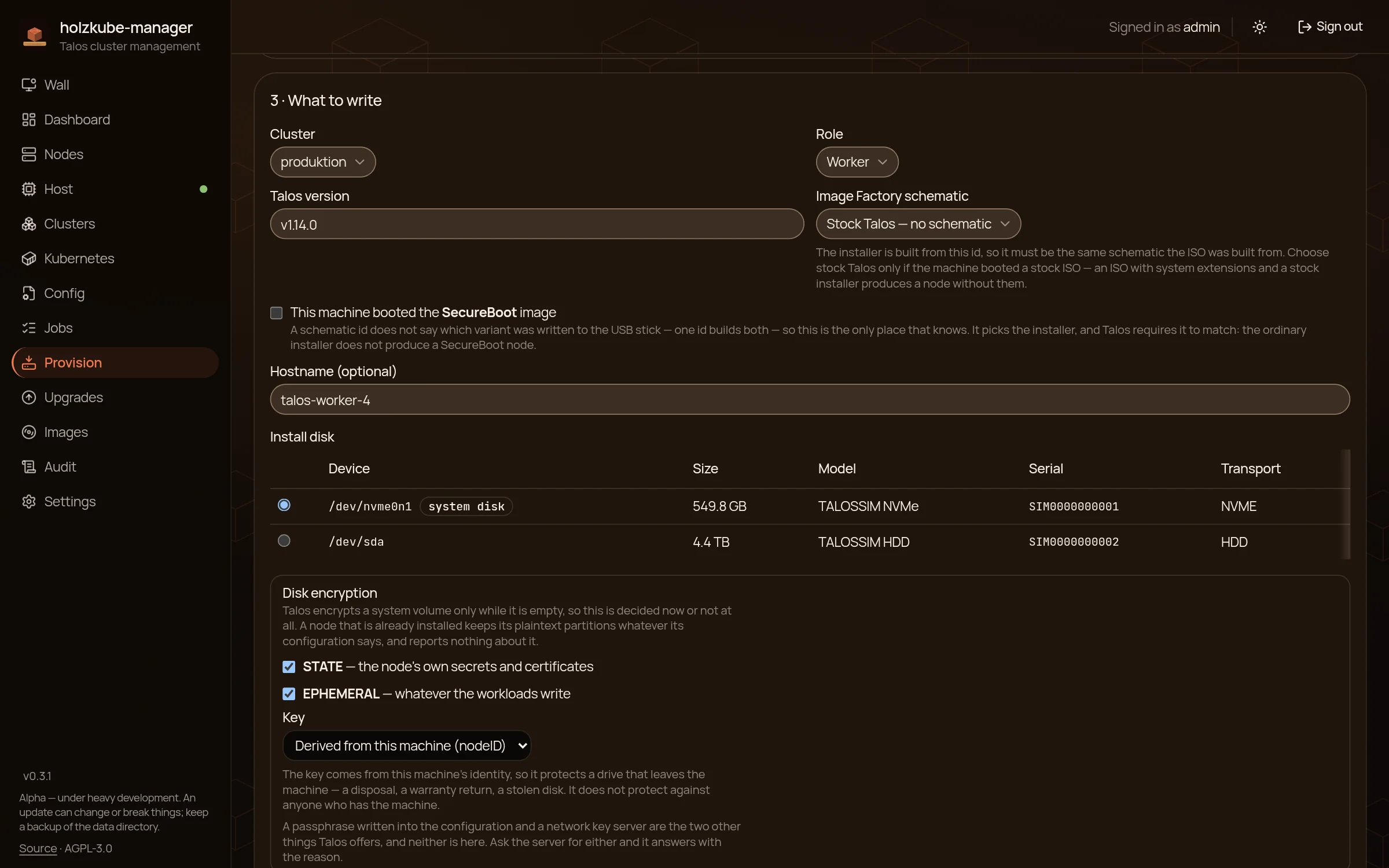
From bare machine to node
A wizard finds machines booted from the Talos ISO, checks their certificate fingerprint and writes the configuration. You choose install disk, hostname and TPM encryption beforehand.
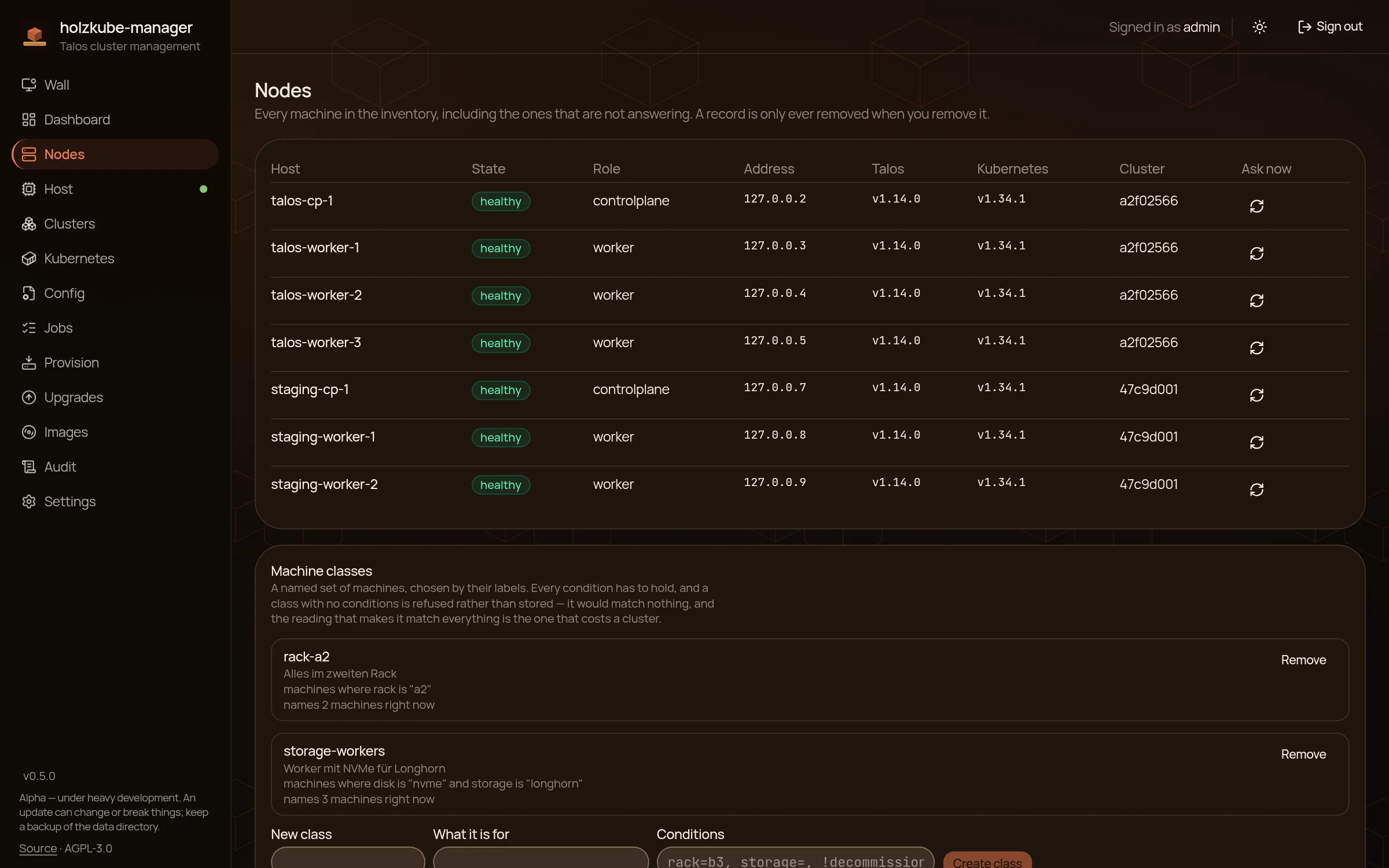
Inventory and nodes
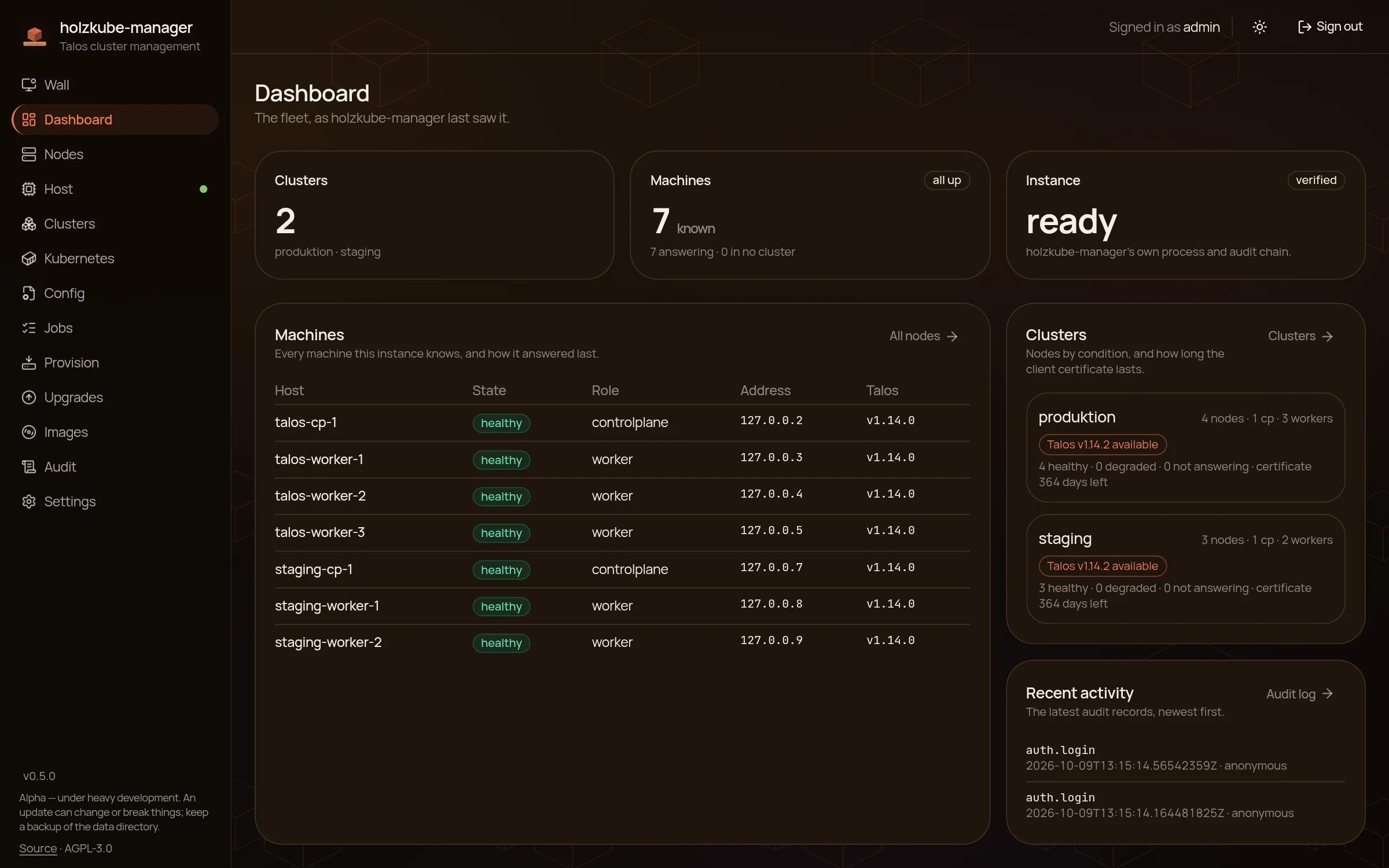
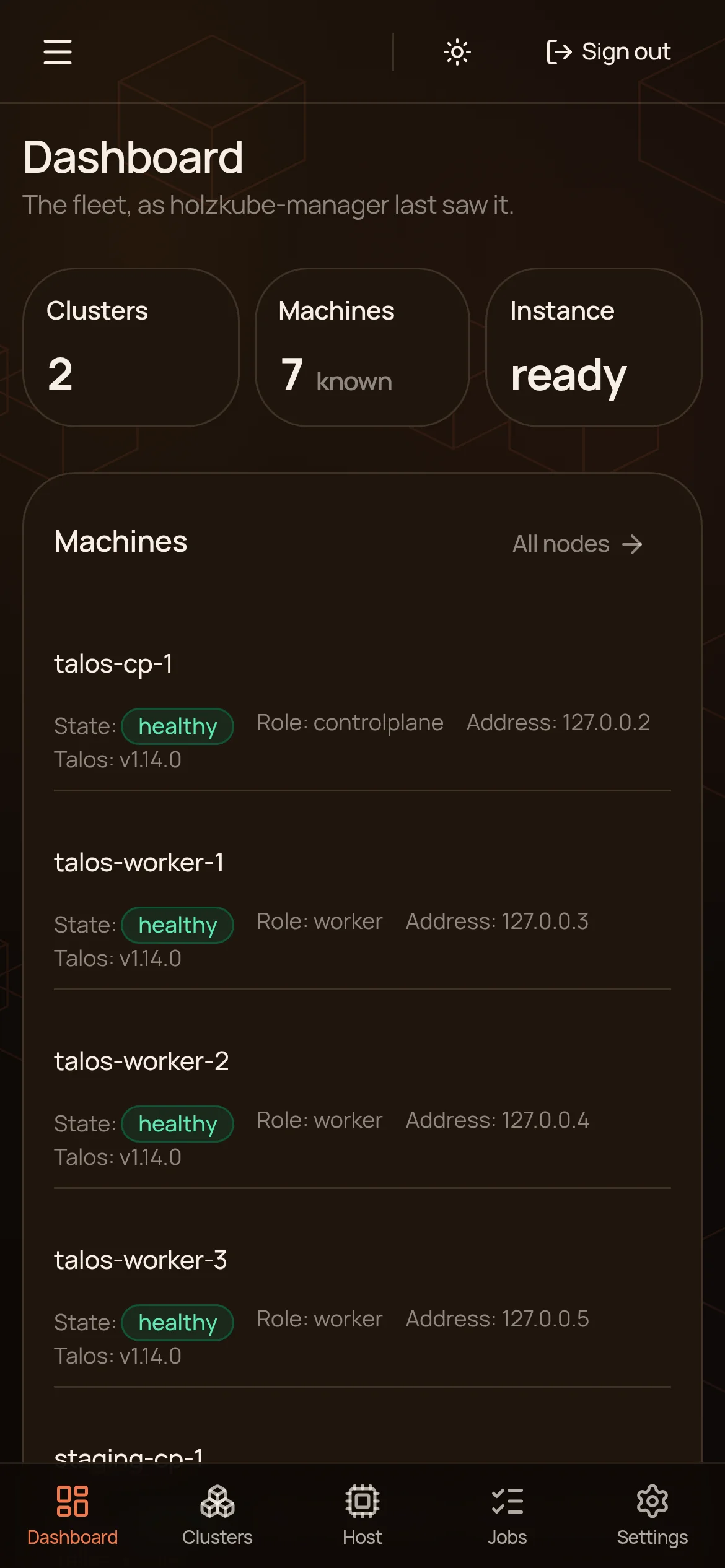
Every machine with state, role, address and versions, even if it is not answering right now. Reboot, reset or removal ask for confirmation again. A node is removed as a job: out of etcd, wipe the system disk, forget it. The job carries on after a restart.
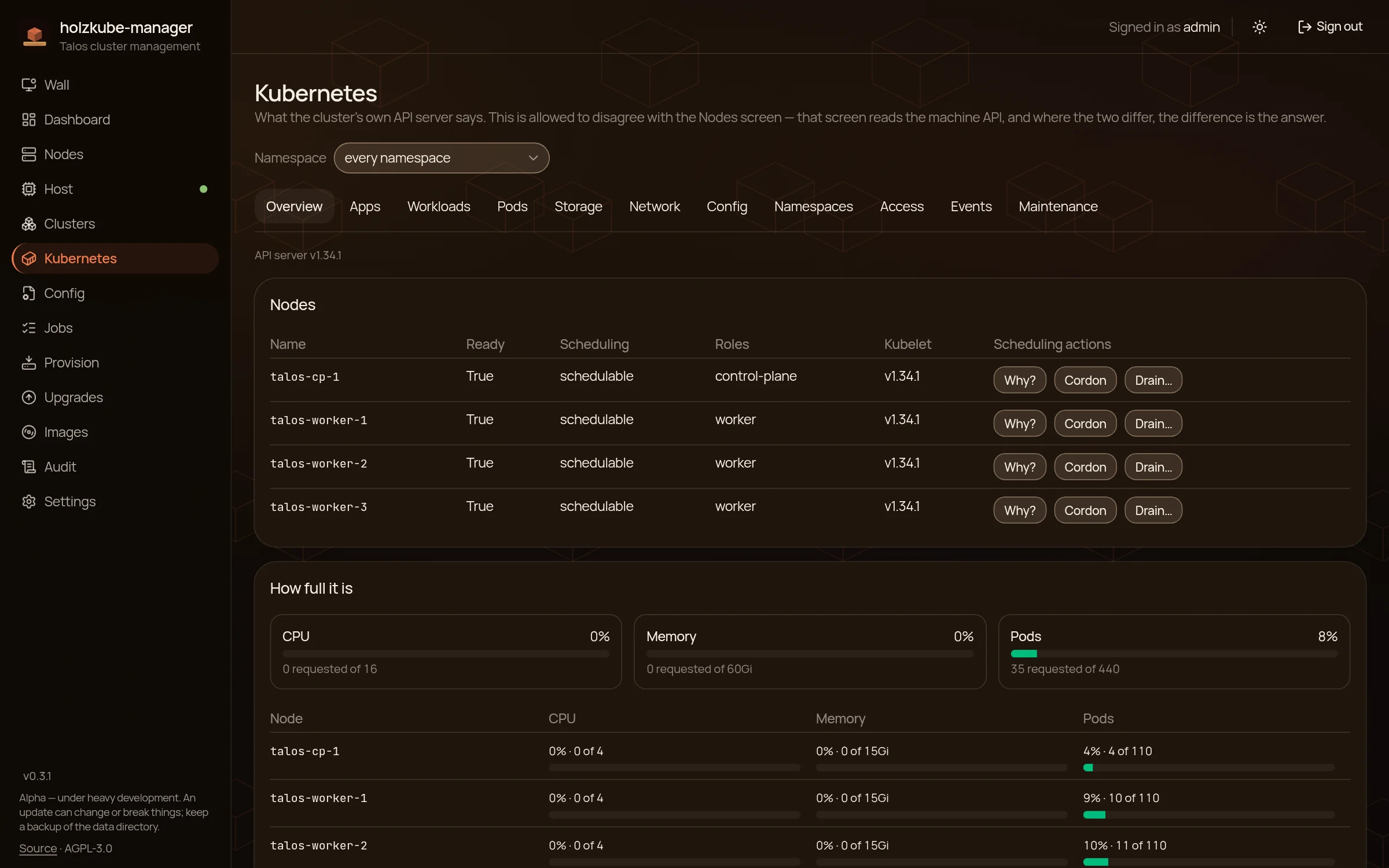
Kubernetes in view
Ten views, from workloads to events. Cordon and drain nodes, scale or roll deployments, and for a broken pod the log of the crashed run sits right next to it.
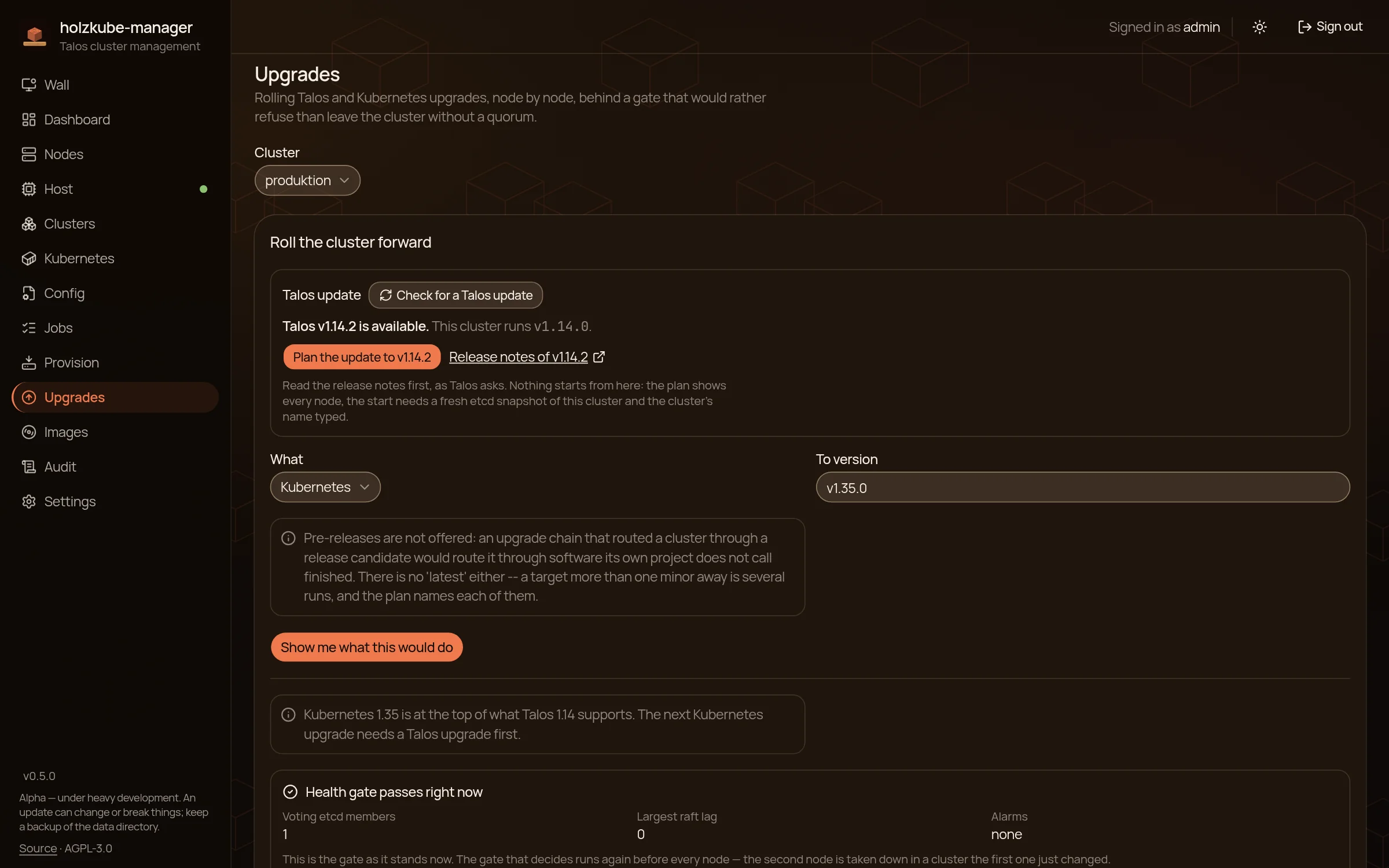
Upgrades with a seatbelt
Talos and Kubernetes are upgraded node by node. A plan shows every step first. A Talos upgrade starts only with a fresh etcd snapshot, and a health gate checks the etcd quorum before each node. When a target is several minors away, the plan names the newest patch of every intermediate version.
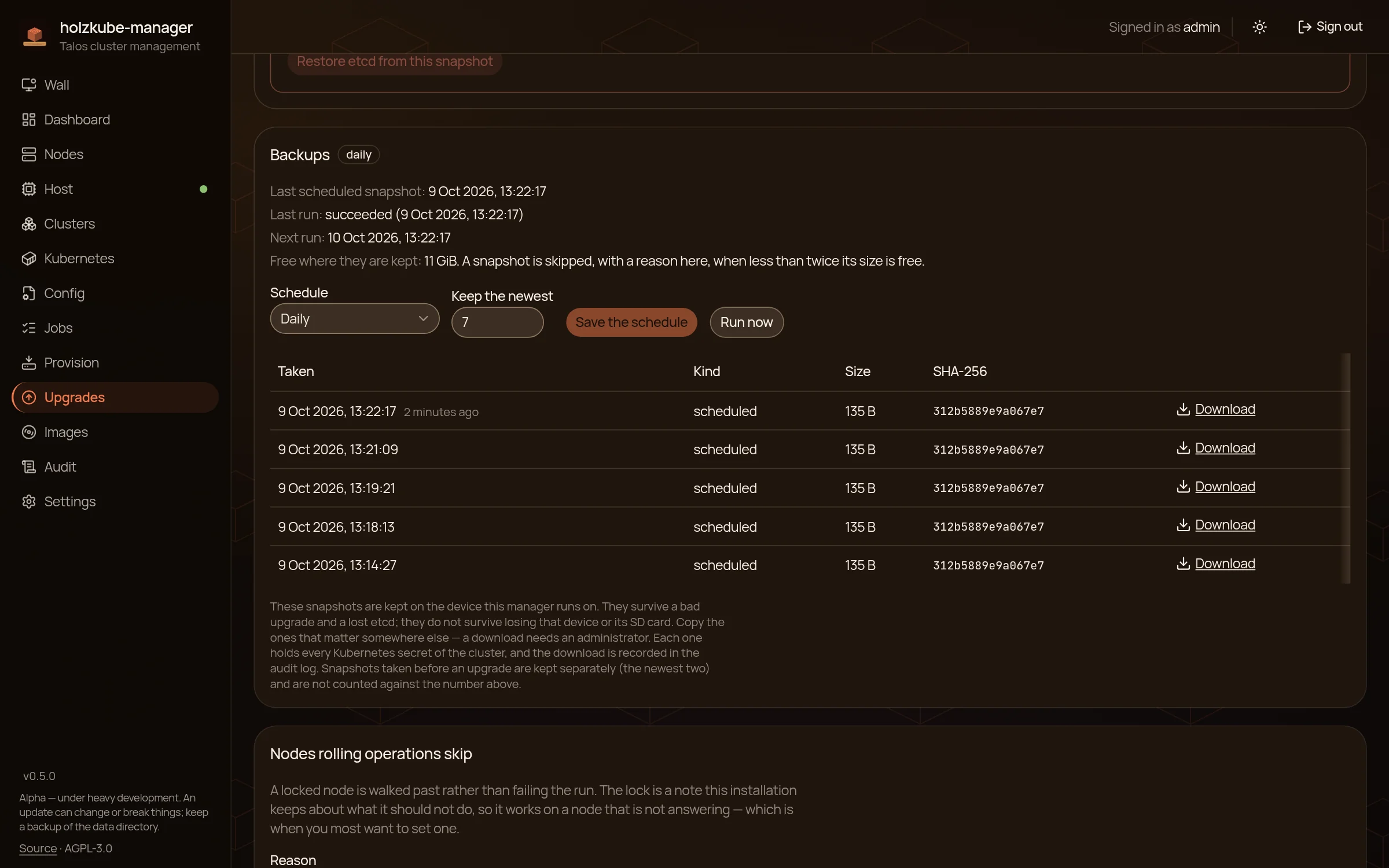
Scheduled etcd backups
Every 6 hours, daily or weekly, with a chosen number of snapshots to keep. The list shows size and SHA-256. If the last backup is older than two intervals, the cluster counts as overdue. The backups live on the device itself and will not survive losing its SD card, so copy the important ones elsewhere.
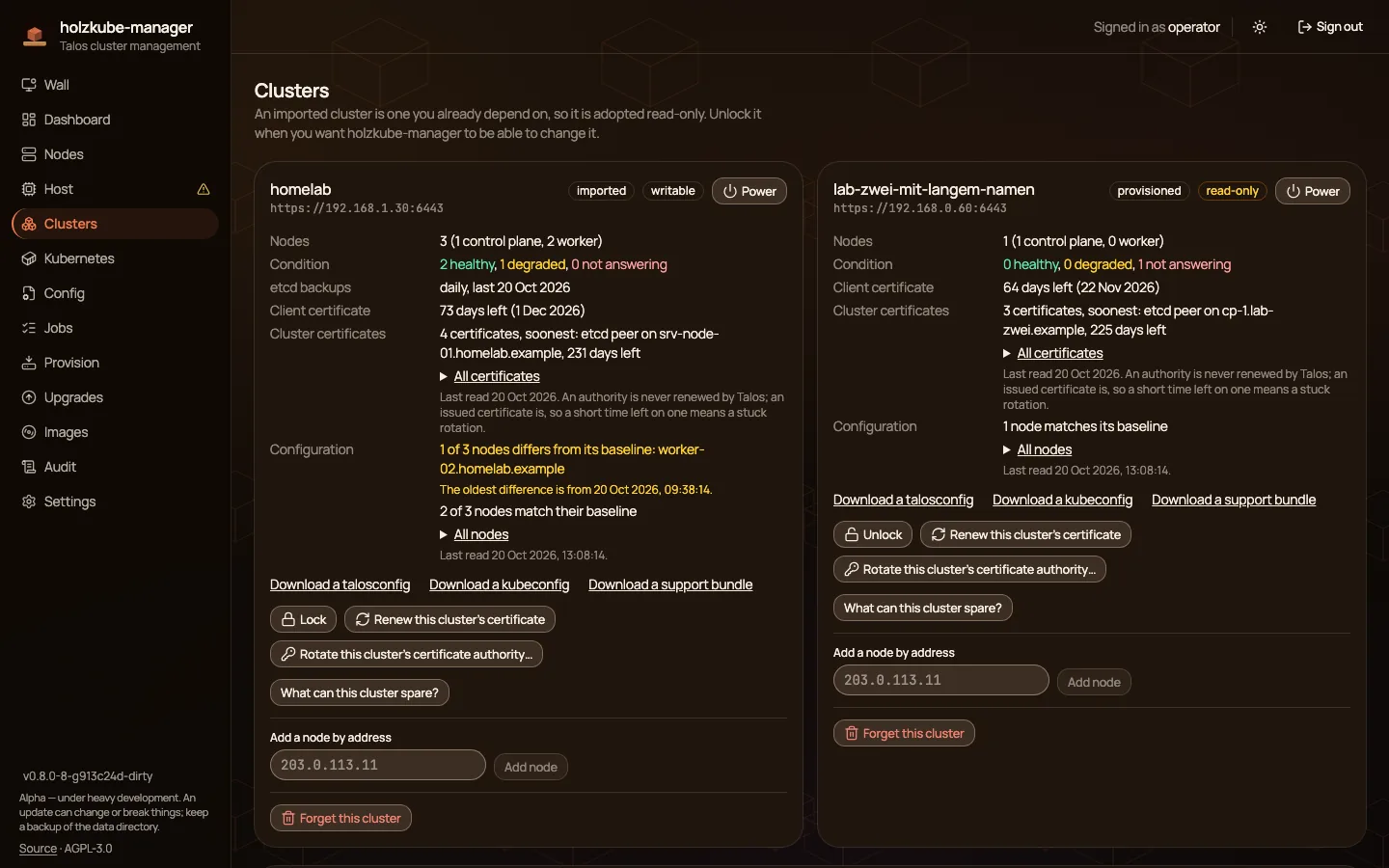
Certificates
The cluster card shows the remaining lifetime of the client certificate and, under Cluster certificates, of the certificates inside the cluster (Talos API, etcd, Kubernetes and their authorities), read from every control-plane node and listed soonest first. When one runs short, a banner appears on every page, a line on the wall and a value in /metrics. The client certificate can be renewed, the Talos CA rotated as a resumable job. talosconfig, kubeconfig and support bundle can be downloaded, and every download goes into the audit log.
Configuration drift
The active configuration of every node is read every 3 hours and compared with what holzkube-manager last knew or set itself. The baseline is a copy with the secrets blacked out. A change made at the node (talosctl, another operator) shows up with its diff on the node page, as a Configuration row on the cluster card and in /metrics, and as a banner once it has stayed unconfirmed for 24 hours. “Confirm as intended” makes the new state the baseline, needs the admin role and the password prompt, goes into the audit log and changes nothing on the node. Changes holzkube-manager makes itself (patch, Kubernetes upgrade, CA rotation) do not count as drift. The data directory moves to schema 7 for this; an older version that was rolled back refuses it, and the guide says how to get back.
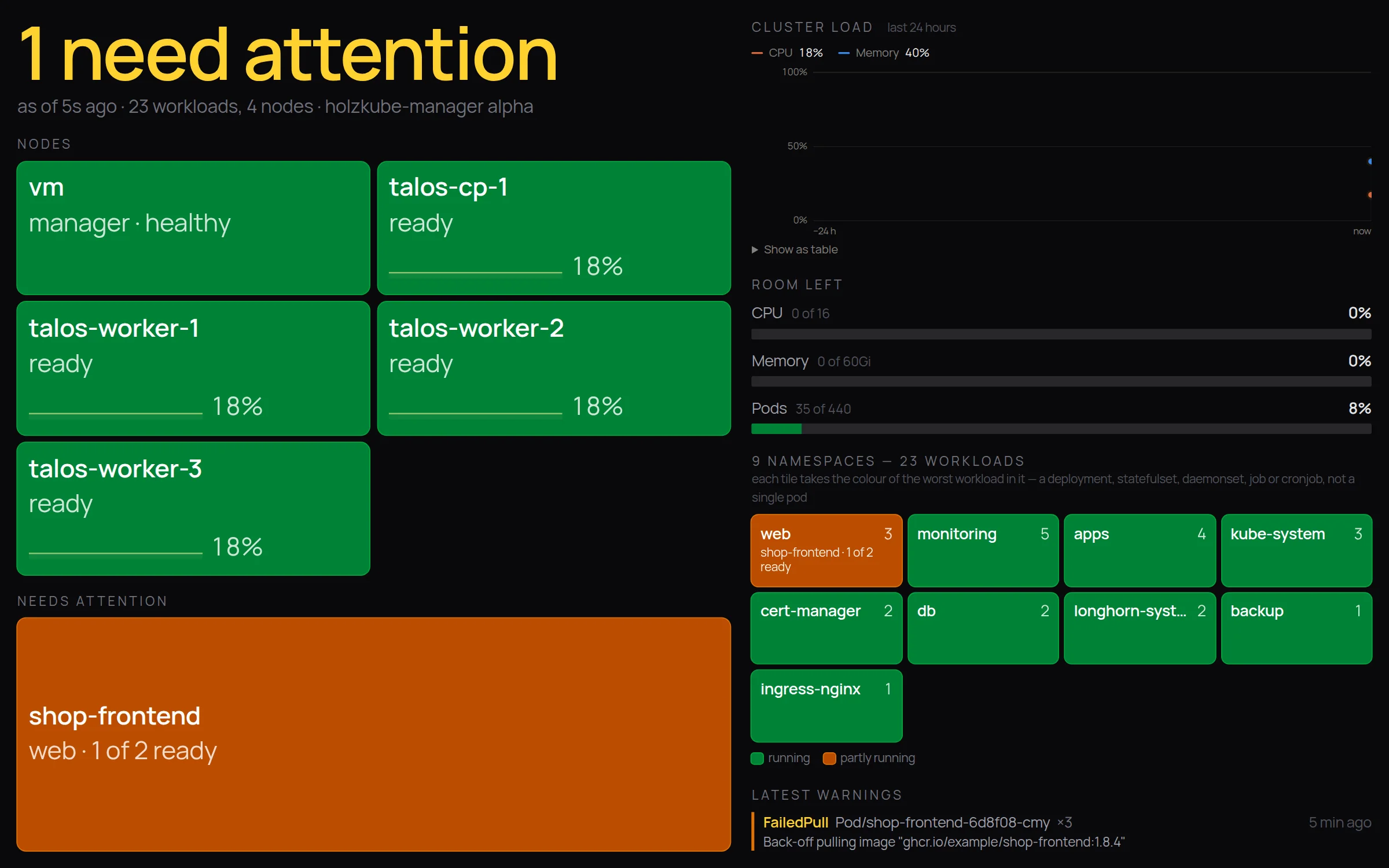
Wall display
A full-screen view for the monitor in the office. Every node and namespace is a tile; whatever is not running shows up large and in colour. A revocable read-only link keeps it open.
Also: adopt existing clusters via talosconfig (read-only until you release them), patch the MachineConfig with a diff, diagnostics for orphaned volumes and dead RBAC bindings, a host view of the Pi with temperatures and filesystems, a hash-chained audit log, roles and OIDC sign-in, the holzkubectl CLI and /metrics for Prometheus. The update script checks the checksum and rolls back by itself if the health check fails.
Installation
Download the linux_arm64 archive from the release. That is the only architecture. Where holzkube-manager already runs, sudo holzkube-manager-update is enough. The rest is in the guide.
More projects
holzcloud-CMS, the CMS without JavaScript, holzBar, the menu bar manager for macOS, and holzWave, the terminal written in Rust. Back to the home page.